
SplashLearn: Kids Learning App
StudyPad, Inc.Education
4.6507.00 Reviews
- Version
- 7.4.0
- Installs
- 1.00M
- Age Rating
- Everyone
Screenshots
Our Review of SplashLearn: Kids Learning App
 Analysis by Appyee
Hey there, fellow parents! I recently stumbled upon an app that’s been a bit of a game-changer for keeping the little ones engaged and learning. It’s called SplashLearn: Kids Learning App, and let me tell you, it’s been a delightful addition to our digital toolkit.
What to expect from a first session
I’d approach SplashLearn as a guided activity for a short stretch of the day, not as a replacement for a teacher, workbook, or conversation with your child. Its appeal is that it brings early math and reading practice into a playful format. That can make it easier to get started when a child is reluctant to sit down with a conventional worksheet, while still giving a parent something concrete to discuss afterward.
The app is an education product from StudyPad, Inc. It is free to install, rated for Everyone, and has reached over one million installs, with an average rating of 4.5 from around 2,900 ratings. Those figures suggest that many families have tried it, but they do not tell you whether its pace or presentation will suit your particular child. I’d treat the first few activities as a low-pressure fit check rather than expecting an instant change in study habits.
What’s the Buzz About?
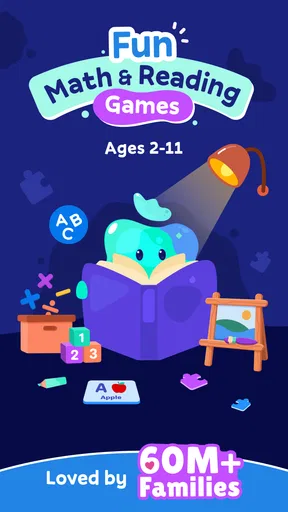
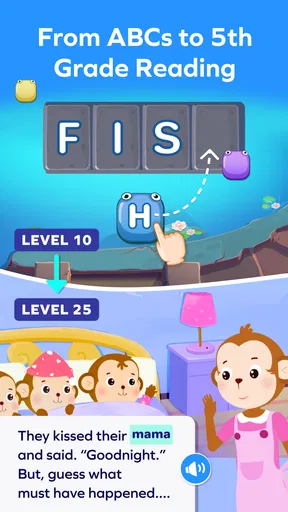
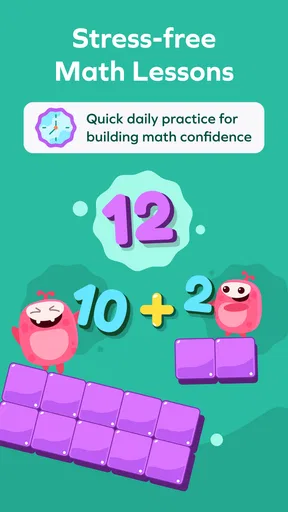
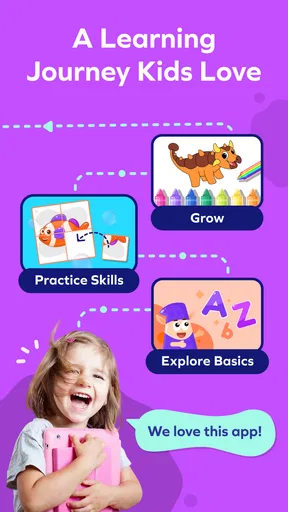
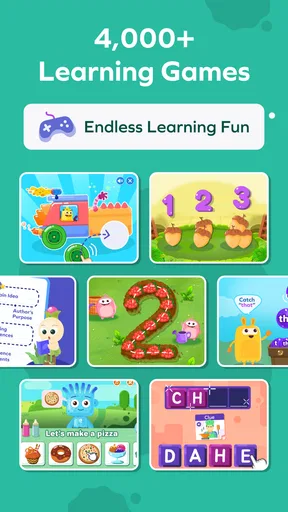
SplashLearn is designed to make learning fun for kids, and it’s got a ton of cool features that cater to children from preschool up to grade 5. The app covers a variety of subjects like math and reading, packed into interactive games and activities that are genuinely enjoyable. It's like having a library of educational games right at your fingertips!
Engaging Content for Curious Minds
The first thing you'll notice is how vibrant and user-friendly the interface is. My kids were instantly drawn to the colorful graphics and animated characters. The games are structured in a way that encourages learning through play, which is perfect for those of us trying to sneak in some education without the kiddos catching on.
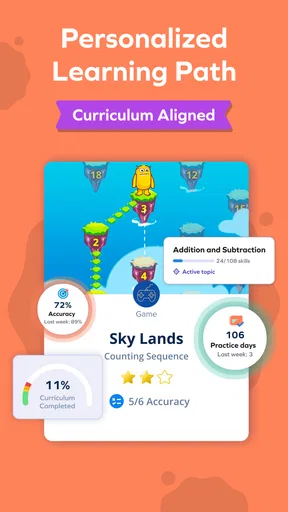
One of the standout features is the personalized learning path. The app adjusts the difficulty and content based on your child’s progress. It’s like having a tailored education plan that adapts as they grow. This is fantastic because it keeps the challenges just right—not too easy, not too hard.
Getting set up without making it feel like homework
For a first-time user, I’d keep setup simple: choose a calm moment, sit with your child, and let them try an activity before turning the app into a routine. The most useful early question is not “How many levels can we finish?” but “Can my child understand what the activity is asking?” If the instructions or pace cause frustration, staying beside them for the first round is more helpful than pressing them to continue independently.
A practical first success is one completed activity followed by a quick conversation: ask the child to explain what they did, or to show the kind of problem they found easy or tricky. That small pause helps you tell the difference between a child who is enjoying the visuals and one who is actually following the learning task. It also gives you a natural stopping point, which is useful if screen time needs to stay brief.
On an ordinary weekday, for example, I’d use it after a snack while dinner is being prepared: agree on a short session, stay within earshot, and check in when the activity ends. If the child is absorbed, that is not automatically a reason to extend the session; consistency and a calm finish can matter more than squeezing in another round. The app works best as one part of a routine, alongside reading together, talking through everyday numbers, and other offline activities.
Motivation Through Rewards
Kids love rewards, right? SplashLearn gets this spot on with its reward system. Every time my kids complete a level or achieve a milestone, they earn coins that they can use to unlock new characters or themes. This little incentive keeps them coming back for more, eager to tackle the next challenge.
The app also sends out weekly progress reports. I found these super handy for keeping track of what my kids are working on and where they might need a little extra help. It's like having a mini report card delivered straight to my inbox!
Reading progress without guessing from the score
I would use a progress report as a prompt for a conversation, not as a complete picture of what a child knows. A child may move quickly through familiar material while needing more time to explain a new idea aloud. If a report points to a skill that seems difficult, try asking for one example at the kitchen table or while reading together before deciding that the child needs more app time.
That approach also helps prevent a common misunderstanding: completing activities is not the same thing as mastering every idea behind them. The app can make practice more inviting, but a parent’s quick observation still matters. Watch whether your child can explain a choice, spot a mistake, or apply the same idea in a slightly different situation. If they can’t yet, treat that as useful information rather than a reason to chase rewards or repeat a long session.
Parental Controls and Safety
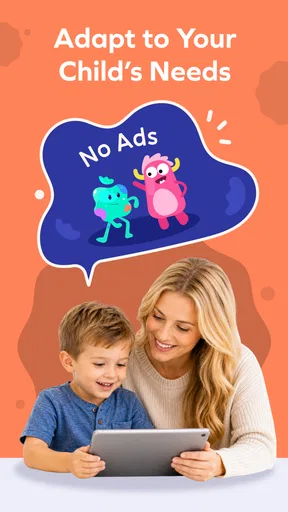
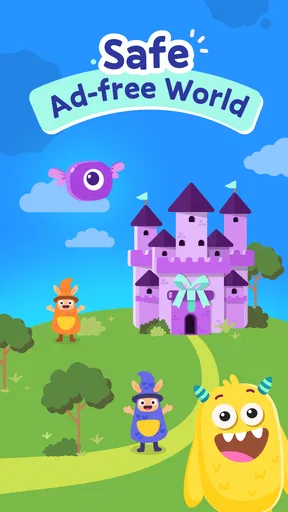
In today’s digital age, having robust parental controls is a must, and SplashLearn doesn’t disappoint. You can customize the settings to control what your kids can access and for how long. Plus, the app is ad-free, which is a huge relief. No accidental clicks on dodgy ads!
Privacy is always a concern, but SplashLearn is committed to keeping your data secure. They have a clear privacy policy, and from what I can see, they stick to it, ensuring a safe environment for our kids to explore.
Understanding the free start and paid options
The app is free, but families should check what is available to them before building a daily routine around particular content. In-app purchases range from $7.99 to $144.00 per item, so I’d look at the purchase details in the app and decide what fits your budget rather than assuming that every activity will remain available at no cost. If a child asks for an upgrade, I’d make that a parent decision, not part of the reward loop.
That distinction matters when comparing SplashLearn with a paper workbook or a free video lesson. A workbook is straightforward and does not put purchases inside the activity, but it offers less immediate interaction and no adaptive path. A video can explain a topic clearly, yet it is usually a more passive experience. This app sits between those options: it invites the child to respond and practise, while asking the adult to keep an eye on access, spending, and whether the activity is genuinely helping.
Who will get the most from it—and who may prefer something else
I think it is a strong fit for families looking for approachable math and reading practice for a young learner, especially when a child responds well to colorful, game-like activities. It can also help a parent who wants a ready-made activity during a busy part of the day without having to invent a worksheet. The best use is targeted: pick a moment when your child has enough patience to try, then use what you observe to choose what to practise offline.
It may be less suitable for a child who dislikes animated, reward-led learning, or for a family that wants a quiet, print-first experience. It is also not the right sole resource for a learner who needs a teacher to explain a concept step by step, or for a parent seeking a complete replacement for classroom instruction. In those cases, a workbook, direct adult guidance, or a lesson matched to the child’s current schoolwork may be a better starting point.
Why It’s Worth a Download
So, why should you consider downloading this app? For starters, it’s a comprehensive learning platform that entertains and educates. The app is available on both Android and iOS, so it’s accessible no matter what device you’re using. The free version offers plenty of content, but if you’re looking to unlock everything the app has to offer, there’s a premium subscription available.
The current version is 7.2.4 and requires Android 8.0 or later. I’d check those basics before installing, particularly if you plan to use an older device for a child. StudyPad, Inc. is the developer, and the app was released on April 6, 2020. The listing has 432 reviews as well as its broader rating count; I would read recent feedback for practical clues about how the app behaves on a device like yours, rather than treating an overall score as a guarantee of a perfect fit.
One useful way to make the next step concrete is to connect the app activity to something already happening in your day. If your child practises counting, invite them to count a few items while setting the table; if they work on reading, ask them to point out a familiar word in a book you already share. Keep the follow-up relaxed and brief. The point is not to turn every household moment into a lesson, but to see whether the skill carries beyond the screen.
Overall, SplashLearn: Kids Learning App is a fantastic tool to have in your parenting arsenal. It’s engaging, educational, and most importantly, it makes learning a fun experience for the kids. Whether you’re looking to supplement your child’s education or just want a productive way for them to spend screen time, this app is definitely worth checking out.
Give it a go, and let me know what you think! I’d love to hear how it works for your family. Happy learning!
Verdict
Strengths of SplashLearn: Kids Learning App
- Engaging and interactive lessons.
- Covers a wide range of subjects.
- Colorful and child-friendly interface.
- Progress tracking for parents.
- Offline mode available.
Limitations of SplashLearn: Kids Learning App
- Requires subscription for full access.
- Some content may be repetitive.
- Limited customization options.
- Occasional technical glitches.
- Not all features available offline.
Similar Picks in This Category
View All
Duolingo: Language Lessons
Duolingo4.7

Google Classroom
Google LLC2.8

Unacademy: Learn & Crack Exams
Unacademy3.2

Bible App for Kids
Life.Church4.4

Cake - Learn English & Korean
Cake Corp.4.7

Brainly: AI Homework Helper
Brainly4.5
Frequently Asked Questions
What age group is SplashLearn: Kids Learning App suitable for?
SplashLearn is designed for children aged 3 to 10 years, covering preschool through grade 5. The app provides age-appropriate educational content that adapts to the learning pace of each child, ensuring a personalized experience that promotes effective learning in a fun, engaging way.
Is an internet connection required to use SplashLearn?
SplashLearn can be used both online and offline. While an internet connection is required to initially download the app and for accessing some features and updates, many learning activities are available offline, allowing children to learn anytime, anywhere.
What subjects does SplashLearn cover?
SplashLearn primarily focuses on math and reading. It offers a comprehensive curriculum that includes a variety of topics such as addition, subtraction, multiplication, division, and reading comprehension. The app uses interactive games and activities to make learning both engaging and effective.
Are there any in-app purchases or subscriptions required?
SplashLearn offers a free version with basic features, but additional content and features are available through in-app purchases or subscriptions. The subscription model provides access to a wider range of activities, progress tracking, and personalized learning paths, enhancing the overall learning experience.
How does SplashLearn ensure child safety and privacy?
SplashLearn is committed to child safety and privacy. The app complies with COPPA (Children's Online Privacy Protection Act) regulations, ensuring that personal information is protected. There are no ads within the app, which provides a safe, uninterrupted learning environment for children.
